# GreptimeDB Desktop Dashboard Official Launch - One-Click Start | Seamless Integration | Efficient Monitoring
Source: https://greptime.com/blogs/2025-03-14-dashboard-ui-app
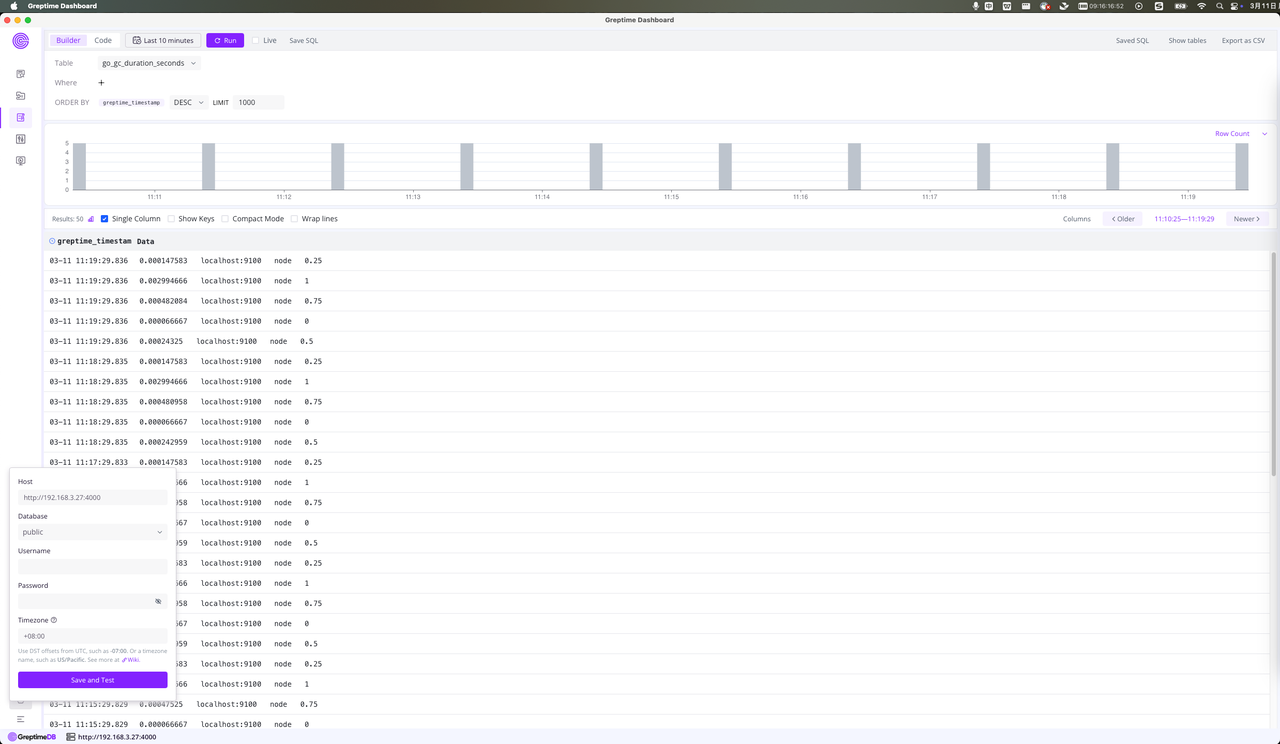
To allow the Dashboard to operate independently of database versions, we are introducing **the desktop version of the Dashboard**. This enables users to **launch the Dashboard on its own and connect to local or remote GreptimeDB instances** for an enhanced and flexible experience.
(Figure 1: GreptimeDB Desktop Dashboard Interface)
## Download and Install the Dashboard Applicationlication
- **Direct Download**: Visit our [download page](https://github.com/GreptimeTeam/dashboard/releases) to get and install the Dashboard application for immediate use.
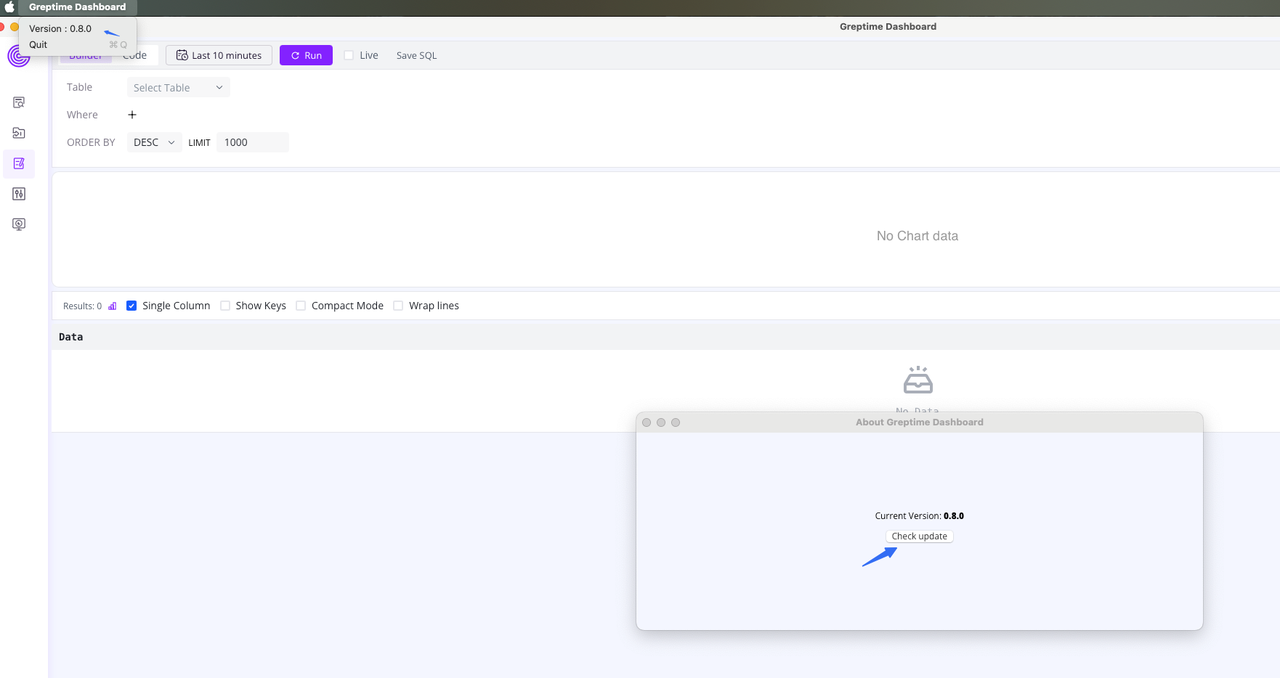
- **Application Update**: Click on the application menu to upgrade to the latest version with just one click and enjoy the newest features.
(Figure 2: Dashboard Application Update)
## Configure Your GreptimeDB Address
The Dashboard supports connecting to both local and remote GreptimeDB instances, requiring GreptimeDB version **v.12.0** or higher.
## Building the Web Version Dashboard with Tauri
To optimize the application's size, we used Tauri for packaging the web-based Dashboard. Tauri is compatible with both Rust and JavaScript, providing a plugin system. Most Tauri plugins have corresponding JavaScript versions, making it highly accessible for front-end developers who may not be familiar with Rust.
### 💡 A few insights into our experience using Tauri:
- **Environment Detection**: Use is `Tauri()` to confirm the current environment to load Tauri-specific code, ensuring that the web browser environment functions properly.
- **Client-Side Functionality Separation**: Client-side features such as version upgrades are separated into a dedicated directory. We leverage the Web UI and Tauri plugins to implement automatic detection and upgrades.
- **Version Management**: The applicationlication is hosted on GitHub Releases, with the latest version identified via `releases/latest/download/latest.json`, enabling efficient upgrade management.
- **Cross-Platform Icon Adaptation**: The Tauri CLI includes functionality to generate application icons, making cross-platform icon adaptation quick and easy.
The Desktop Dashboard is now live and ready for download. We invite you to try it out today! 🎉
---
#### About Greptime
Greptime offers industry-leading time series database products and solutions to empower IoT and Observability scenarios, enabling enterprises to uncover valuable insights from their data with less time, complexity, and cost.
[GreptimeDB](https://github.com/GreptimeTeam/greptimedb) is an open-source, high-performance time-series database offering unified storage and analysis for metrics, logs, and events. Try it out instantly with [GreptimeCloud](https://www.greptime.com/product/cloud), a fully-managed DBaaS solution—no deployment needed!
The [Edge-Cloud Integrated Solution](https://greptime.com/product/carcloud) combines multimodal edge databases with cloud-based GreptimeDB to optimize IoT edge scenarios, cutting costs while boosting data performance.
Star us on [GitHub](https://github.com/GreptimeTeam/greptimedb) or join GreptimeDB Community on [Slack](https://www.greptime.com/slack) to get connected.