
On this page

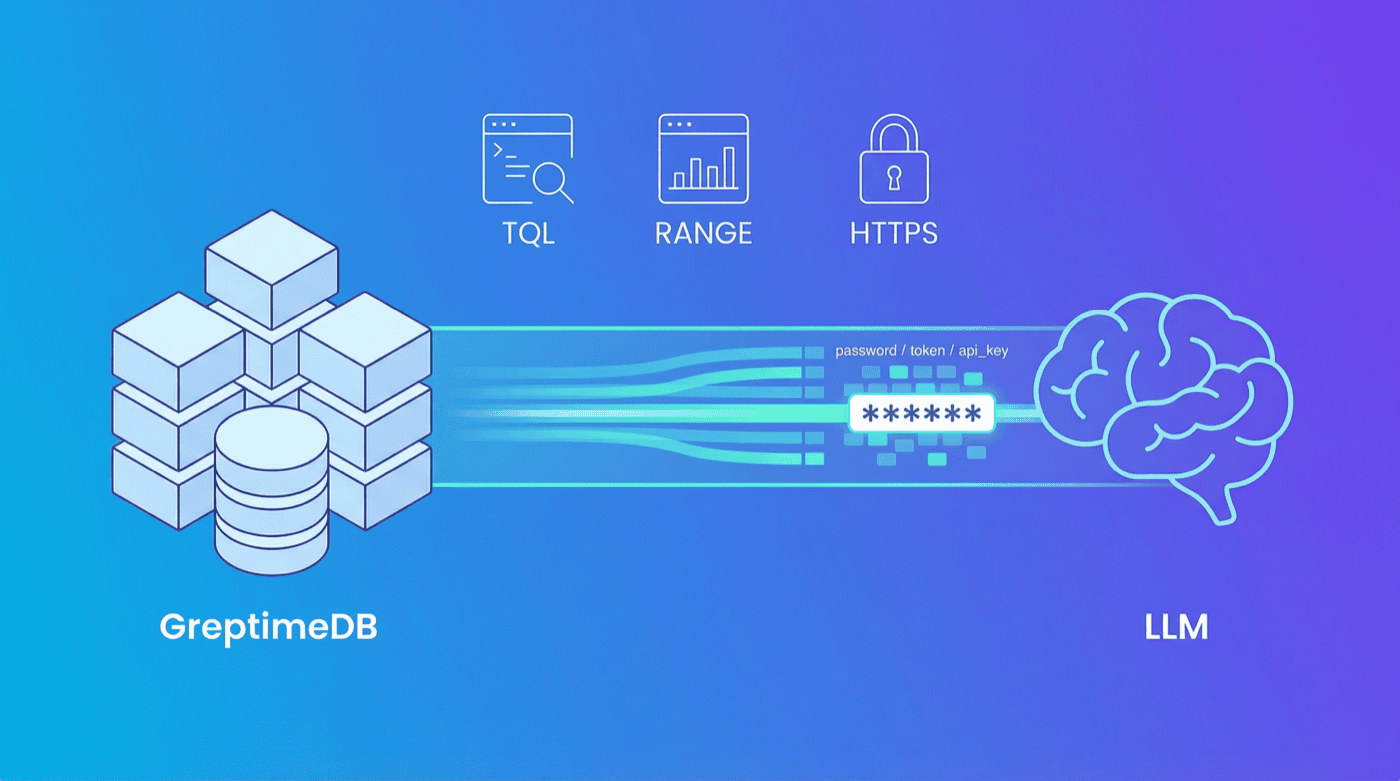
Model Context Protocol (MCP) is Anthropic's open protocol for connecting AI assistants to external tools and data. GreptimeDB MCP Server v0.3 (latest: v0.3.1) adds data masking for secure AI queries, tools for managing log pipelines, and production-ready prompt templates with documentation references.
Breaking News: With the Linux Foundation establishing the Agentic AI Foundation, Anthropic has donated the MCP protocol to the foundation. Also donated are Block's Goose and OpenAI's AGENTS.md, among other projects.
If you're new to GreptimeDB MCP Server, check out our introduction blog post for background on how MCP bridges LLMs and observability databases.
What's New
Data Masking
When LLMs query databases, sensitive data can leak into responses. Ask Claude to query a users table, and you might see passwords or API keys in the output. v0.3 automatically masks credentials, financial data, and personal identifiers before they reach the LLM.
Built-in patterns cover three categories:
- Authentication:
password,passwd,pwd,secret,token,api_key,apikey,access_key,private_key,credential,auth,authorization - Financial:
credit_card,creditcard,card_number,cardnumber,cvv,cvc,pin,bank_account,account_number,iban,swift - Personal:
ssn,social_security,id_card,idcard,passport
Matched values appear as ****** in all output formats. Configure via environment variables:
bash
# Disable masking (enabled by default)
GREPTIMEDB_MASK_ENABLED=false

# Add custom patterns (comma-separated, extends defaults)
GREPTIMEDB_MASK_PATTERNS=phone,address,email
TQL and RANGE Query Tools
Three new tools for time-series analysis:
| Tool | Description |
|---|---|
execute_tql | Run PromQL-compatible queries with start, end, step, and optional lookback |
query_range | Execute RANGE/ALIGN aggregations with time-window semantics |
explain_query | Analyze SQL or TQL execution plans; use EXPLAIN ANALYZE for actual metrics |
Example TQL query:
json
{
  "query": "rate(http_requests_total[5m])",
  "start": "2024-01-01T00:00:00Z",
  "end": "2024-01-01T01:00:00Z",
  "step": "1m"
}
For more on TQL syntax, see the TQL documentation.
Pipeline Management: AI-Powered Log Parsing
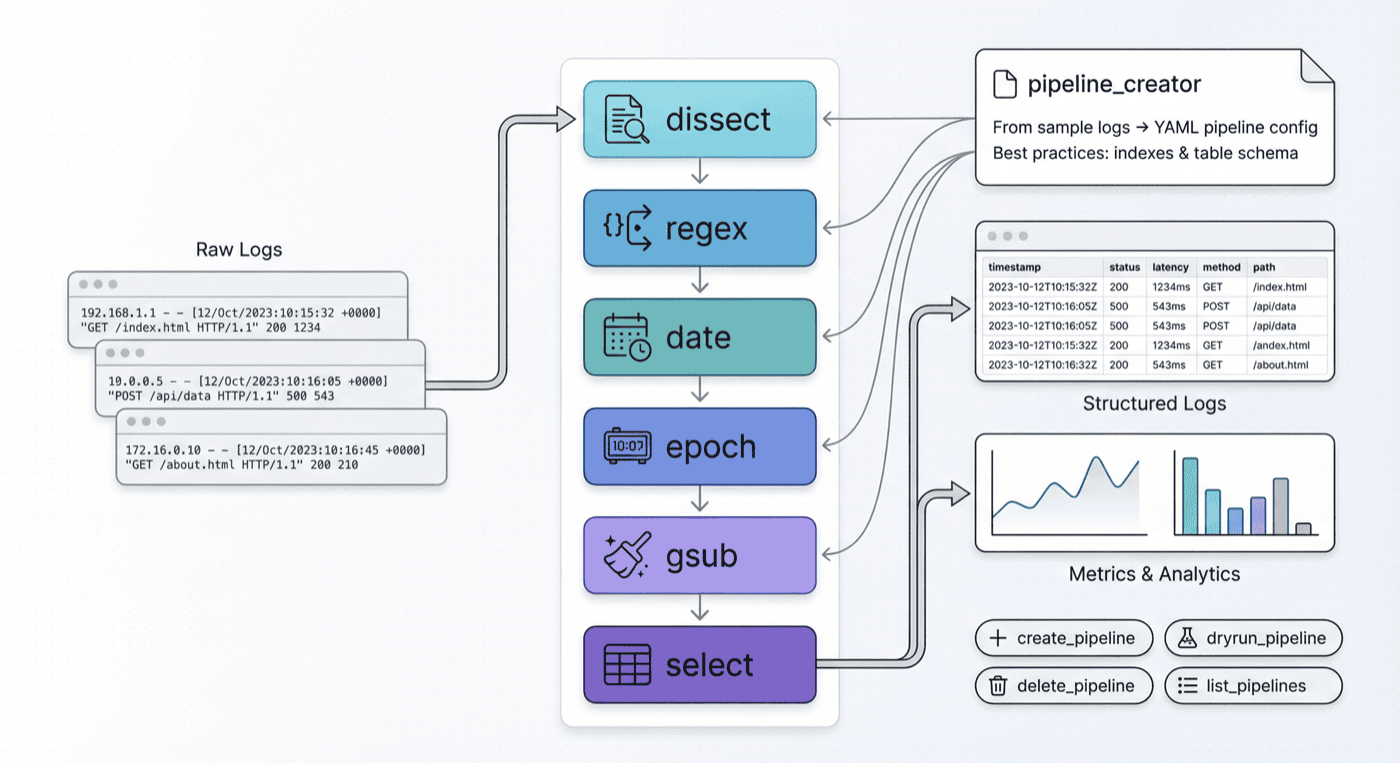
GreptimeDB's log pipeline transforms raw logs into structured data. v0.3 adds MCP tools to manage pipelines directly:
| Tool | Description |
|---|---|
create_pipeline | Create pipelines with YAML configuration |
dryrun_pipeline | Test pipelines without writing to the database |
delete_pipeline | Remove specific pipeline versions |
list_pipelines | View existing pipelines and versions |
The pipeline_creator prompt helps LLMs generate pipeline configs from log samples. It covers:
- Processors:
dissect,regex,date,epoch,gsub,select - Transform configuration and data types
- Index best practices:
inverted,fulltext,skipping - Table design for log data
See this example where Claude builds a pipeline from nginx logs, tests it with dryrun_pipeline, and deploys with create_pipeline.
For pipeline configuration details, refer to the Pipeline Configuration Reference.
Production-Ready Prompts
All seven prompt templates now include References sections linking to official docs:
| Template | Use Case | Key References |
|---|---|---|
pipeline_creator | Generate pipelines from log samples | Pipeline Config, Data Index |
log_pipeline | Log analysis with full-text search | Full-Text Search, SQL Functions |
metrics_analysis | Metrics monitoring | RANGE Query, Data Model |
promql_analysis | PromQL/TQL guidance | TQL Reference |
iot_monitoring | IoT device analysis | Table Design |
trace_analysis | Distributed tracing (OpenTelemetry) | Traces Overview |
table_operation | Schema diagnostics | INFORMATION_SCHEMA |
We also fixed query syntax issues in the trace_analysis and table_operation templates.
Other Improvements
- HTTPS Support: Connect over TLS with
GREPTIMEDB_HTTP_PROTOCOL=httpsor--http-protocol https - Security Gate Fix:
SHOW CREATE TABLEnow works correctly - Performance: HTTP connections reuse
aiohttp.ClientSession - Output Formats: All query tools support
csv,json, andmarkdown
Getting Started
Install via pip:
bash
pip install greptimedb-mcp-serverOr run with uv:
bash
uv run -m greptimedb_mcp_server.serverConfigure your MCP client (Claude Desktop, Cursor, etc.):
json
{
  "mcpServers": {
    "greptimedb": {
      "command": "greptimedb-mcp-server",
      "args": [
        "--host", "localhost",
        "--port", "4002",
        "--database", "public"
      ]
    }
  }
}
For pipeline management, ensure the HTTP port (default 4000) is accessible.
What's Next
This release upgrades the MCP server to use the FastMCP API, currently with stdio transport. Next, we plan to support HTTP SSE transport, enabling the server to run persistently as a standalone service. See Issue #23 for details.
Learn More
- GitHub Repository - Source code, issues, and contribution guidelines
- PyPI Package - Installation and version history
- GreptimeDB Documentation - Full database documentation
- Slack Community - Questions and discussions